The Performance feature in Glow is powered by Google Page Speed Insights.
The first Performance scan will run within 24 hours after adding a website to your account and then daily scans will run automatically from that point on.
Performance reports
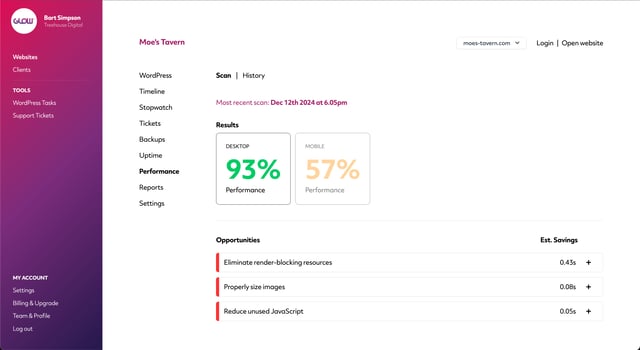
For each daily performance scan for each website, you’ll see 2 things:
- Google’s score out of 100 for Desktop and Mobile performance
- A short report for Desktop and Mobile, including suggested actions to improve performance
Performance history
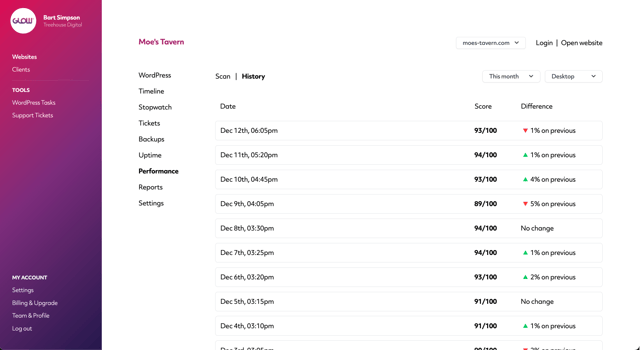
Glow also keeps a log of each performance scan for the previous 60 days. On the frontend, you’ll see the scans for this month and for the most recent 7 days.
To view this history, go to Websites > Website > Performance > History.
Organising websites by performance data
On the Websites screen you’re able to sort your clients’ websites by performance data. Click on the Sort by dropdown menu to sort the websites by Best and Worst performance scores.
Client reports
Performance data is also available in client reports.
When you creating or scheduling a report for a website, make sure to select the Performance section. On the PDF report that’s sent to the client, the Performance page will show averages (across the dates of the reports) for Performance score and site load speed for both Desktop and Mobile.

